
Flow
High-speed movement for dashing, evading, and outmaneuvering. It changes position and timing rather than acting as a fourth ordinary attack label.
Current Steam description · practical Training drills
Short answer: Flow is the game’s high-speed mobility system. Use it to dash, evade, and reposition; build Energy Points through play; spend that resource on enhanced specials and Super Arts; combine your fighter with one of three support characters.
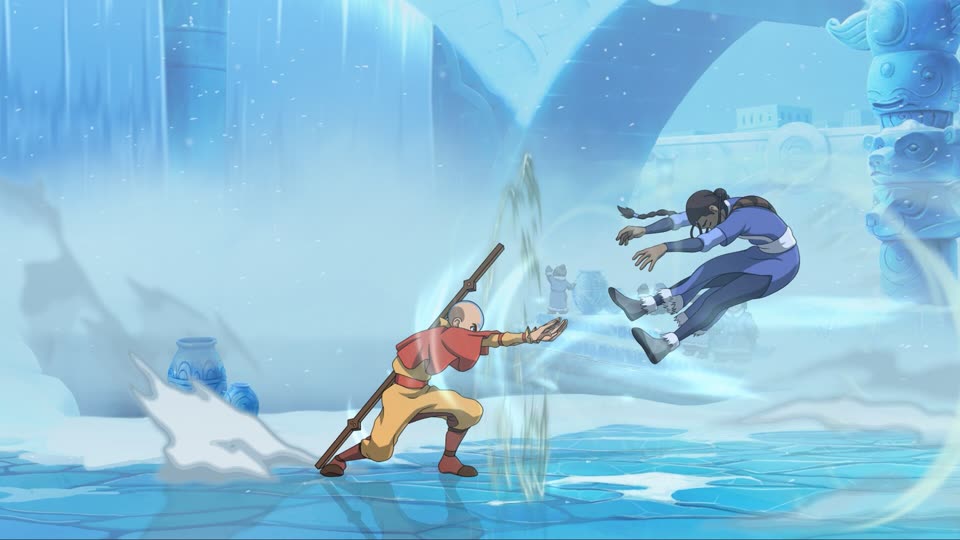
High-speed movement for dashing, evading, and outmaneuvering. It changes position and timing rather than acting as a fourth ordinary attack label.
A resource that the current store description connects to enhanced special moves and cinematic Super Arts.
Choose from three support characters. Their different abilities can reinforce a fighter’s strengths or open another tactical option.
Start with movement, not a long combo. A Flow input is useful only when you recognize where it places your fighter and when normal actions return. In Training, make the input display visible, use the same starting position, and test one direction at a time.
Once movement is repeatable, observe Energy Points. The public description explains what the resource enables, but it does not publish every gain value or spend amount. Your current HUD and lesson are the better reference for exact costs after a patch.
Add one support last. A support changes space and timing, so testing it at the same time as unfamiliar movement makes it harder to understand why a sequence succeeded or failed.
Use Flow without attacking. Test forward movement, retreat, and evasion until you can recognize the travel and recovery in your current build.
Watch the resource display while moving, attacking, defending, and taking hits. Note what your current lesson identifies as skilled play before spending anything.
Use the game’s current command list to compare a normal special with its enhanced version. Do not borrow a button label from another device.
Call one support in Training and observe where it appears, what space it covers, and when your fighter can move again.
Flow changes the movement decision. Energy Points change the reward available after successful play. A support changes the helper and coverage around your main fighter. A practical sequence is therefore: choose where to be, confirm what resource you have, then decide whether your main fighter or support should take the next action.
This framework is intentionally broader than a character combo. Exact cancel windows, command shortcuts, damage, and frame advantage belong to a current-build move or frame dataset. The official store description does not provide those numbers, and this site has not captured them from the game.
Community wikis and videos may write directions with numpad notation and may compress attack choices into a single letter. Before following any route, check its notation key, character, support, resource requirement, screen position, and game build.
This page does not publish a universal Flow-cancel command because the reviewed current first-party text does not provide a complete command table. Use a character’s current in-game command list and input display; a later source-backed character page can add a route without turning old alpha notation into a launch-build fact.
Current Steam description checked July 27, 2026. Pre-release demonstrations are not treated as complete current command data.
The current Steam description says Flow is used to dash, evade, and outmaneuver opponents with high-speed mobility.
Steam describes Energy Points as a resource built through skilled play and spent on enhanced special moves and cinematic Super Arts.
The current Steam description says players choose from three support characters, each with abilities that can enhance different strengths.
No. Public current-build sources reviewed for this page do not provide a complete, auditable cancel-command table. Use Training input display and the current in-game lesson before treating third-party notation as universal.
Keep Chi, Chakra, and Flow observations separate until the current game shows the interaction.